· 7 min read · Omkar Satpute and Milind Soni
Grok Bot vs OpenMausBot: a feature-by-feature comparison
A line-by-line comparison of xAI's Grok Bot and OpenMausBot: price, models, where agents run, where your data lives, and what Grok Bot still does better.
Grok Bot and OpenMausBot are the same idea with opposite architectures. Both give you a roster of AI bots in a messaging app. Grok Bot runs Grok in xAI's cloud behind a paid plan. OpenMausBot runs Claude, Codex, or Grok on your own machine, stores everything on your disk, and is free and MIT licensed. Grok Bot is still ahead on two things: learning a workflow by watching you, and continuing to work after you close your laptop.
The comparison, line by line
| Grok Bot | OpenMausBot | |
|---|---|---|
| Price | SuperGrok Heavy, Cursor Ultra, or Cursor Teams Premium plan | Free. You pay your model providers directly. |
| License | Proprietary | MIT |
| Models | Grok only | Claude, Codex, and Grok, per bot |
| Where agents run | xAI's cloud | Your machine, on the CLIs you already have |
| Where your data lives | xAI's servers | ~/.openmausbot on your disk |
| Bots get a computer | Shared cloud computer | Cloud desktop per bot, or your own Mac |
| Connected apps | Signs into your tools | 500+ apps over Composio, OAuth once |
| Approvals | Pulls you in for judgment calls | Allow / Deny card for every risky action |
| Group chats between bots | Yes | Yes, with @mentions, delegation, and group calls |
| Scheduled routines | Not announced | Yes, on a schedule or from a webhook |
| Voice | Not announced | Bots read replies aloud, or call you |
| Learn a workflow by watching you | Yes | Not yet |
| Keeps working with your laptop closed | Yes | Not yet |
| Platforms | macOS, iOS | macOS, Windows, Ubuntu; iOS coming |
| Self-host or air-gap | No | Yes |
Price and license
Grok Bot is bundled into a plan. You need SuperGrok Heavy, Cursor Ultra, or Cursor Teams Premium before you can open it, and the product itself is proprietary.
OpenMausBot has no paid tier, no seat count, and no locked features. The whole app is MIT licensed. Your only cost is the model subscriptions you already hold, paid to the providers directly, at whatever you pay them today. There is no markup in the middle because there is no middle.
Models
This is the sharpest split. Grok Bot runs Grok. That is the whole roster.
OpenMausBot picks a model per bot. Claude, Codex, and Grok sit side by side in a provider rail, so a writing bot can run Claude while a refactoring bot runs Codex, in the same workspace, at the same time. You can switch a bot's model mid-conversation without losing the thread.
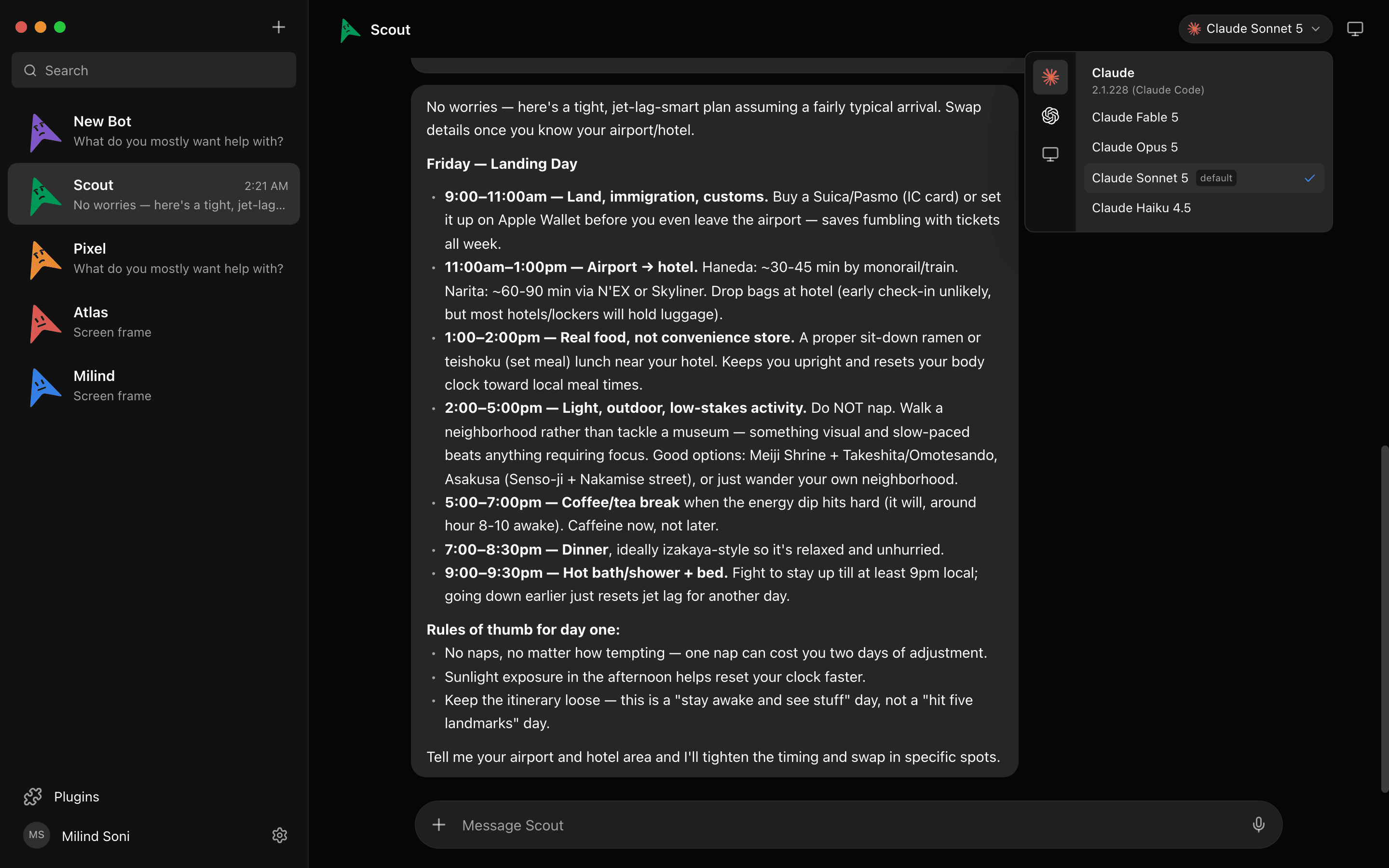
If you only ever want Grok, this difference is worth nothing to you. If you already pay for two or three of these and resent picking one, it is the whole argument.
Where the agents actually run
Grok Bot's agents run in xAI's cloud. You send a task up, it comes back down.
OpenMausBot's agents run on your computer, on the claude, codex, and grok CLIs you have already installed and logged into. A single harness on 127.0.0.1 owns every agent process and normalizes each provider's protocol into one event stream. Nothing is proxied through a server we operate, because we do not operate one.
The practical consequences: your existing subscriptions and rate limits apply directly, there is no third party in the request path, and the app keeps working regardless of what our project does next.
Where your data lives
Grok Bot's transcripts live on xAI's servers, under xAI's terms.
OpenMausBot's transcripts, keys, and events live in ~/.openmausbot on your own disk. Keys are write-only, so the interface never reads them back. If you need to self-host or run air-gapped, you can — it is the same app, not a separate enterprise build.
For anyone with a security review to pass, this is usually the row that ends the conversation. The whole codebase is public, so a reviewer can read every line before the first call is made.
Computers, apps, and approvals
Both products give bots a computer. Grok Bot's bots share a cloud computer. OpenMausBot spins up a cloud desktop per bot with a live screen preview, or points a bot at your own Mac.
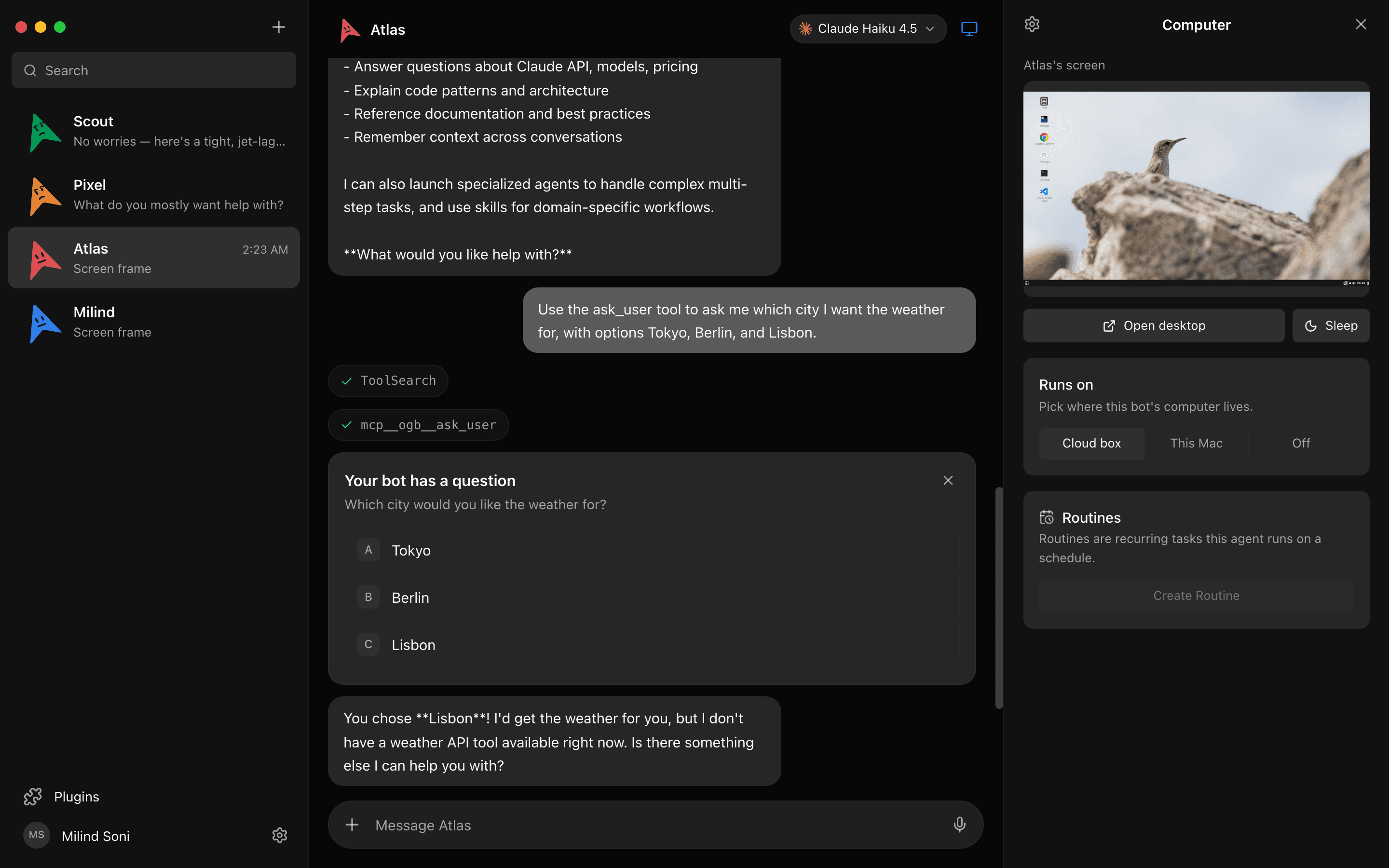
Both sign into your tools. OpenMausBot does it through Composio: Gmail, Slack, GitHub, Notion, Linear and hundreds more. You OAuth once and every bot can use them as tools.
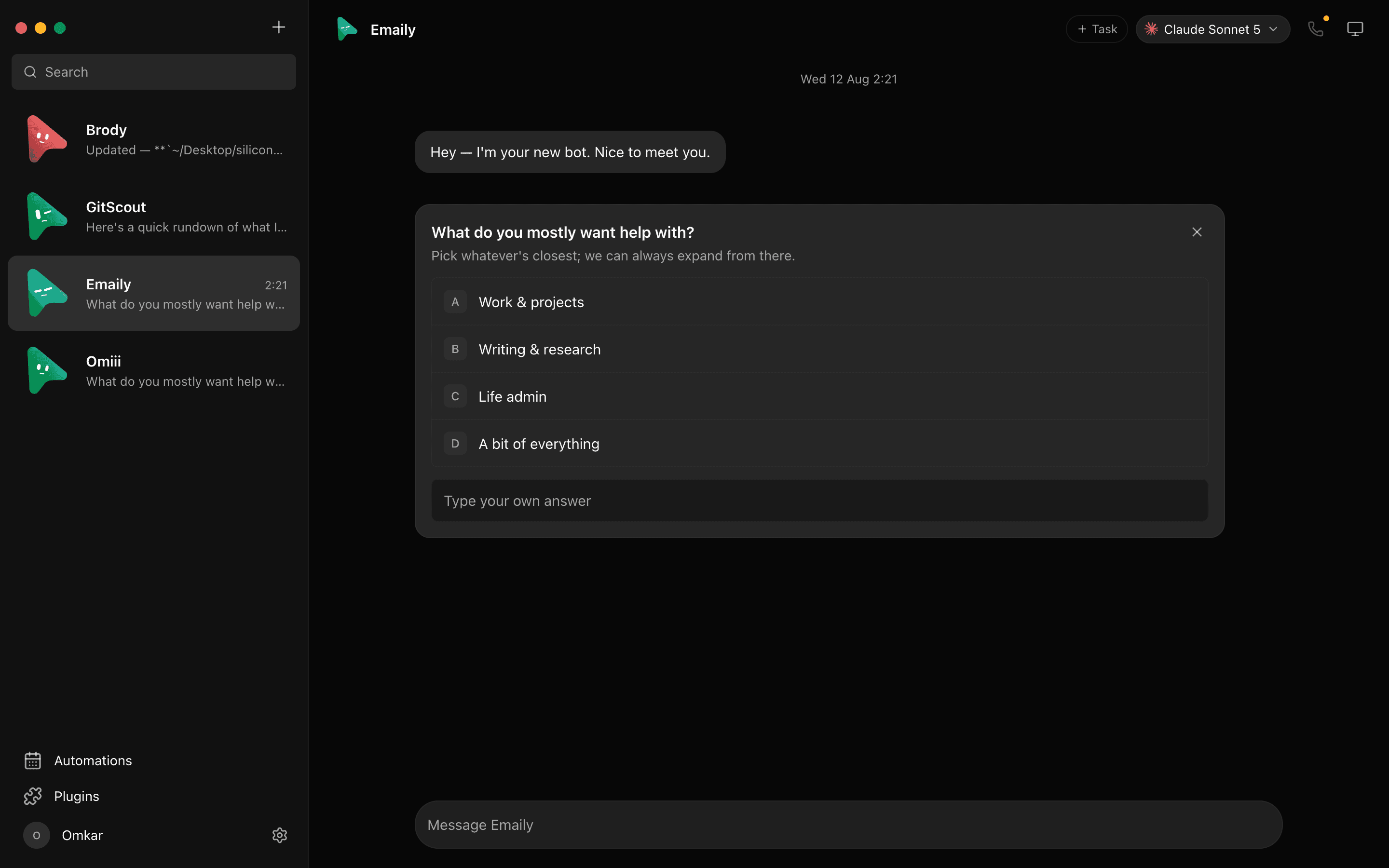
Both keep you in the loop, with a difference in default. Grok Bot pulls you in for judgment calls. OpenMausBot surfaces an explicit Allow / Deny card for every risky action — shell commands, file edits, questions — in the chat, and behaves the same way whether the bot is on a cloud desktop or on your own machine.
Where Grok Bot is still ahead
Two rows in that table go to xAI, and pretending otherwise would waste your time.
Learning a workflow by watching you. Show a Grok Bot agent a task once and it saves it as a routine. OpenMausBot has scheduled routines and webhook triggers, but you write them; nothing learns by observation yet.
Working with the laptop closed. Grok Bot's agents live in the cloud, so they keep going when your machine sleeps. That is the direct trade for running locally: OpenMausBot's bots run on your computer, and a closed computer runs nothing. If you need work to continue overnight on a machine you are carrying home, this matters.
Grok Bot also ships an iOS app today. OpenMausBot runs on macOS, Windows, and Ubuntu, with iOS still ahead of us.
Which one should you choose?
Choose Grok Bot if you already pay for SuperGrok Heavy or Cursor Ultra, Grok is the only model you need, you want agents that run while your laptop is shut, and you are comfortable with your work living in xAI's cloud.
Choose OpenMausBot if you hold Claude, Codex, or Grok subscriptions and want to use them all, want a different model per bot, need your data on your own disk, have a security review to pass, or simply do not want to add another plan to run agents you are already paying for.
They are also not exclusive. OpenMausBot is free, so trying it costs you an install and nothing else.
Frequently asked questions
- Is OpenMausBot a clone of Grok Bot?
- No. It takes the same shape — a messaging app where every contact is an agent — and changes what sits underneath: your models, your machine, your disk, under an MIT license. The internals share no code with xAI's product.
- Can I use Grok in OpenMausBot?
- Yes. The grok CLI is one of the three OpenMausBot drives, alongside claude and codex. You can give one bot Grok and another Claude in the same workspace.
- Do I need a Grok subscription to use OpenMausBot?
- No. Any one of the claude, codex, or grok CLIs is enough to start. You use whichever subscriptions you already pay for.
- Which one is cheaper?
- OpenMausBot, in almost every case. Grok Bot requires a SuperGrok Heavy, Cursor Ultra, or Cursor Teams Premium plan on top of what you already spend. OpenMausBot costs nothing and bills nothing — you keep paying your model providers exactly what you pay them now.
- Is OpenMausBot affiliated with xAI?
- No. It is an independent open-source project inspired by Grok Bot. Grok is a trademark of its owner, and OpenMausBot has no token or cryptocurrency of any kind.
Try it yourself
The harness is embedded, so there is nothing else to install. Download OpenMausBot for macOS, Windows, or Ubuntu, paste the keys you already have, and meet your first bot. If you want the longer introduction first, read the open-source alternative to Grok Bot, or read the source on GitHub. For xAI's own description of their product, see the Grok Bot announcement.